Sprint health, flow metrics and retro reports for small Azure DevOps teams
Agile Gauge is built for small teams, 1 to 10 people, running Scrum or Kanban in Azure DevOps. It reads your sprints and work items straight from your own organization and puts them in a hub tab: no export, no spreadsheet, no separate dashboard to keep in sync.
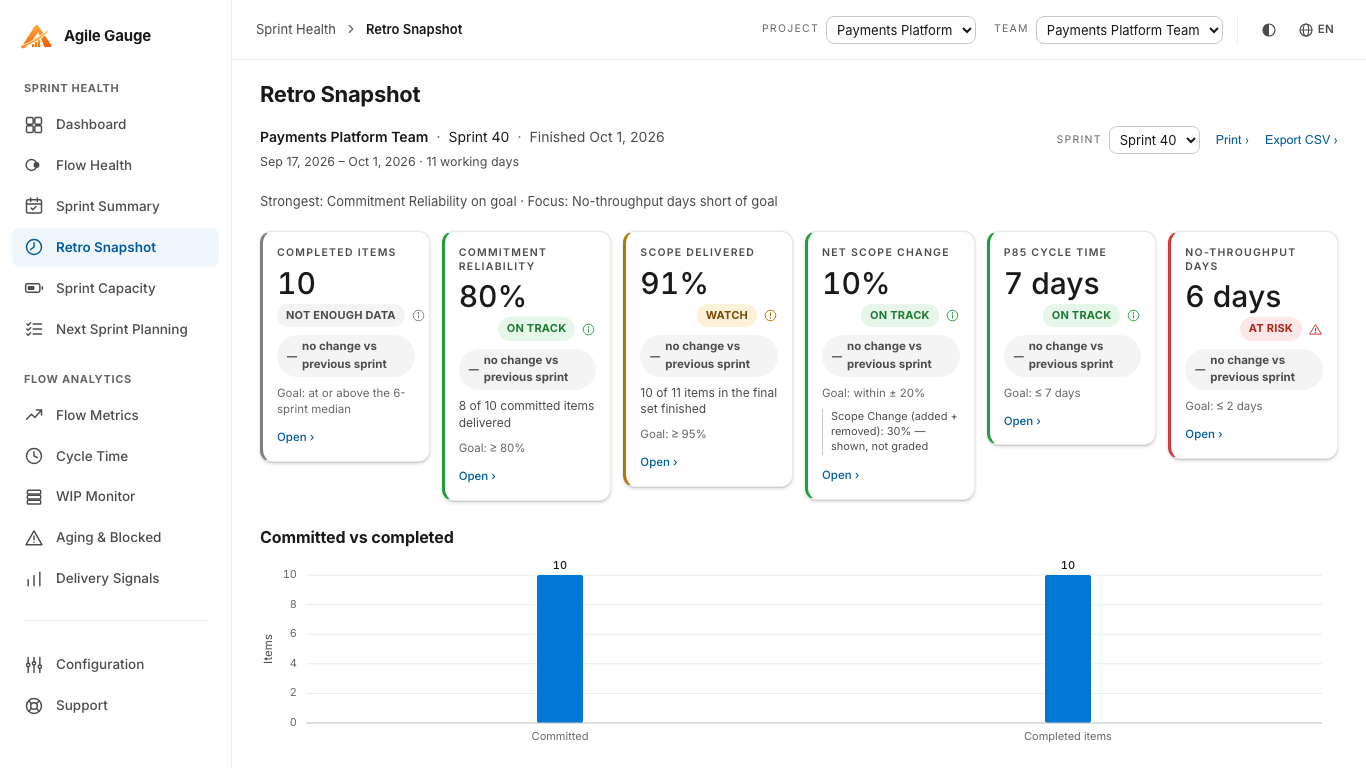
Retro Snapshot
A printable handout for the retro meeting
One finished sprint at a time: six graded KPIs with the delta against the sprint before it, the item lists behind every number, and a cycle-time distribution chart: laid out to print as a handout, not just to view on a laptop screen in the meeting. Every KPI is graded against goals your own team sets, not a fixed default nobody agreed to.
Flow Health
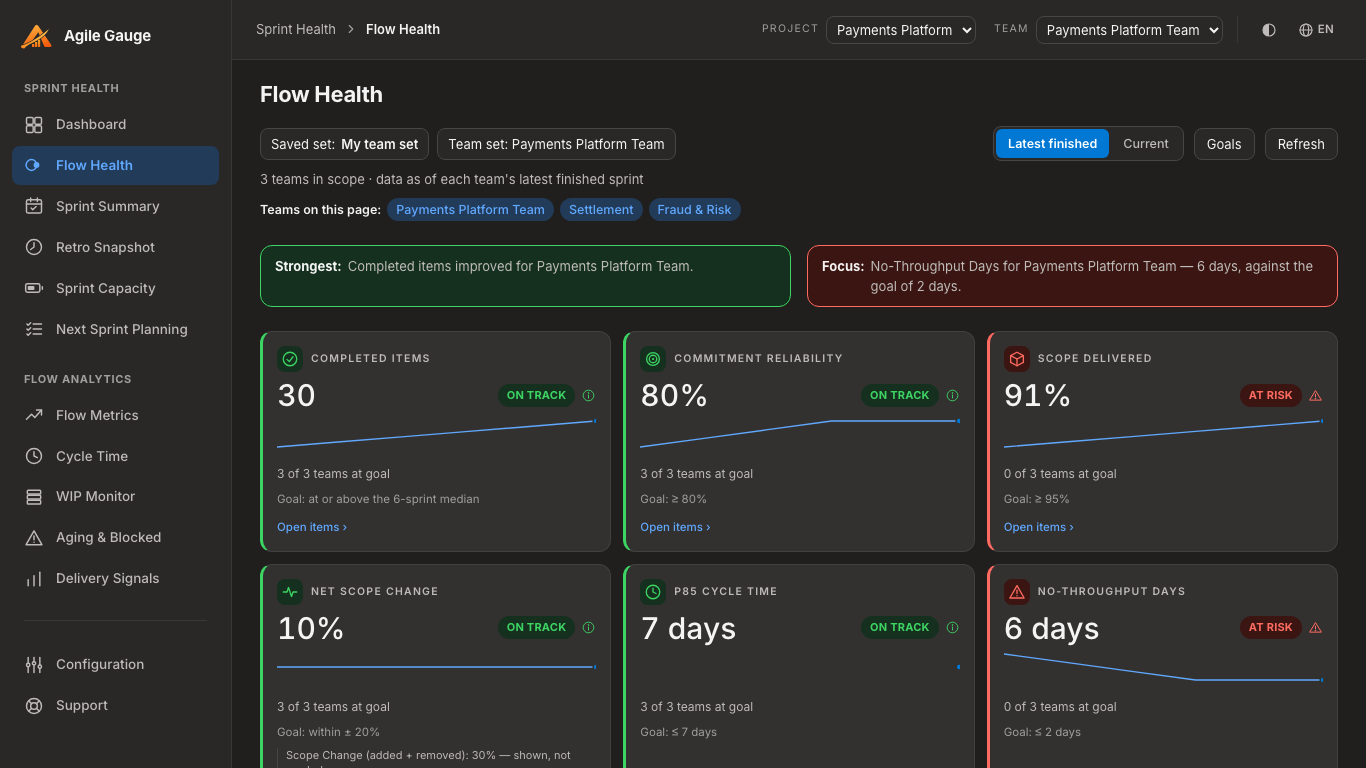
One screen for several teams, graded the same way every sprint
Keep named team sets, up to 20 of them, each with its own teams and goals, and switch between them from a single picker. Flow Health grades six KPIs per team (throughput, sprint commitment completion, scope delivered, net scope change, P85 cycle time, and no-throughput days) and calls out what to celebrate and where to focus next, so a lead following several teams doesn't have to open each one separately.
The rest of the views
Sprint health and flow analytics, read directly from your own Azure DevOps
Every view follows the same rule: a number is shown only when Azure DevOps holds enough real data to support it. Where a team hasn't configured something, capacity hours, a WIP limit, a "blocked" field, the page says so instead of inventing a default and presenting it as measurement.
Sprint Health
-
Dashboard
A dashboard of headline figures for the sprint at a glance.
-
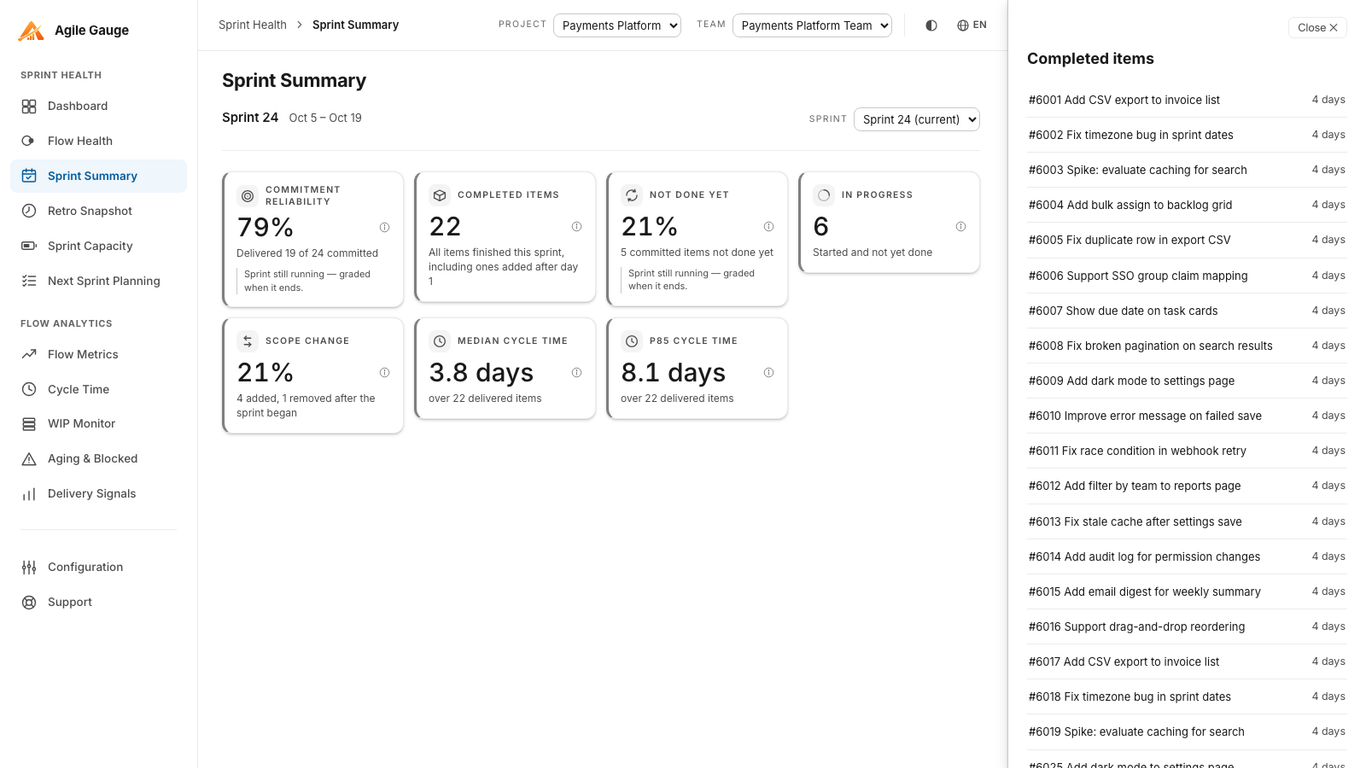
Sprint Summary
A sprint-by-sprint summary: commitment reliability, delivered work, carryover, scope change.
-
Sprint Capacity
Team capacity broken down by the hours and days off Azure DevOps actually has on record.
-
Next Sprint Planning
A forecast for what a team could take on next, drawn from their own last six sprints.
Flow Analytics
-
Flow Metrics
Where a team's time goes across their own workflow stages.
-
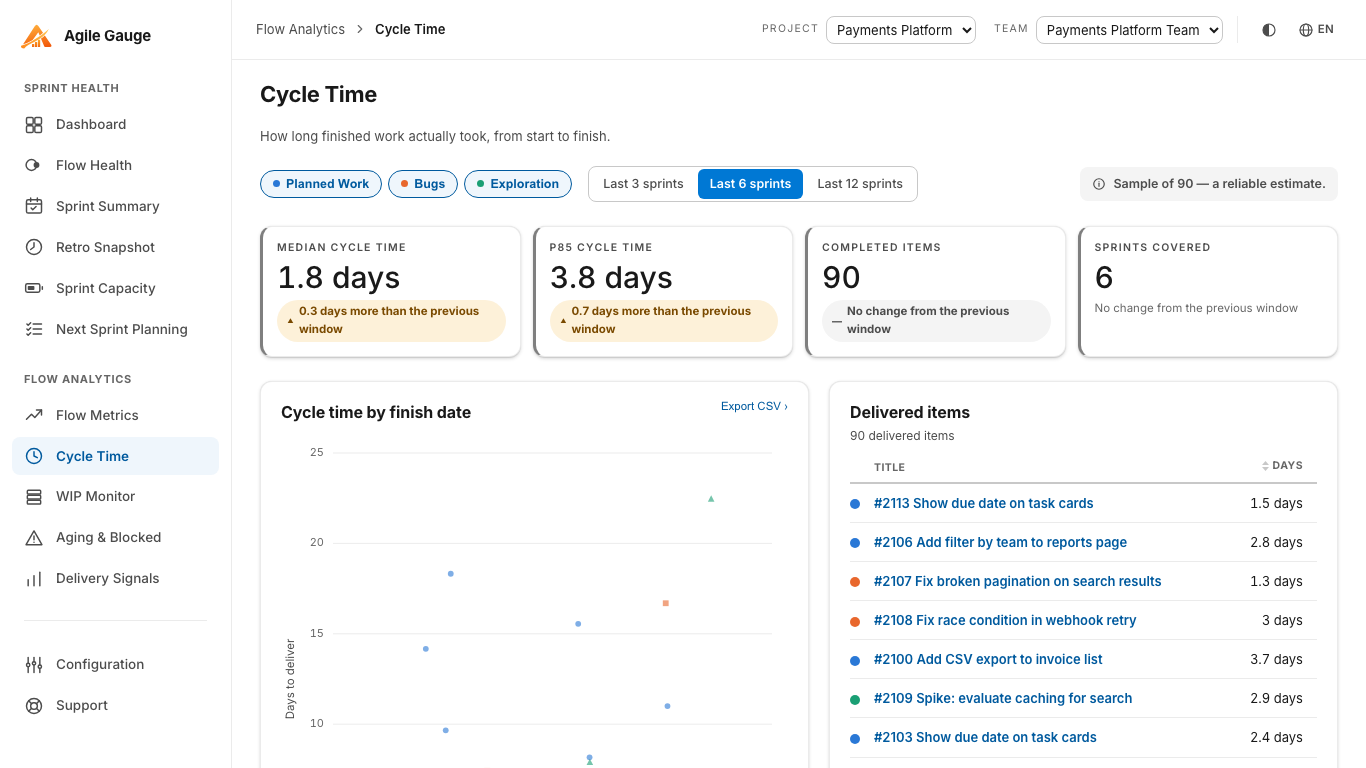
Cycle Time
A cycle-time scatterplot, split by work type.
-
WIP Monitor
A work-in-progress monitor against the team's own WIP limit.
-
Aging & Blocked
An aging and blocked view for everything still open.
Portfolio
-
Delivery Signals
A cross-team delivery view for a lead following more than one team at once.
Configuration
-
Configuration
Where a team's own workflow-stage mapping, WIP limit, and blocked-item signal are set once, and used by every view above.
Languages
The hub speaks five languages
English, Español, Português, Italiano and Deutsch: pick a language from the switcher in the top bar, on this site and inside the extension itself, and every screen follows.
How it works
It reads your Azure DevOps. It does not send your data anywhere else.
Agile Gauge reads directly from your Azure DevOps organization using read-only scopes granted on install (project, team and sprint metadata; work items and their history; and group membership, used only for the capacity view's identity lookups). Everything renders inside the extension itself: your work items stay in your browser and are never copied to a server we operate. See the privacy policy for the exact data path.
Access
A 14-day trial, every feature unlocked, no card required
Every organization gets a full-featured 14-day trial, per organization and not per user: enough to run a full sprint start to finish before deciding anything. Pricing starts from $20 a month for up to 2 users; see pricing for how seats add up beyond that.